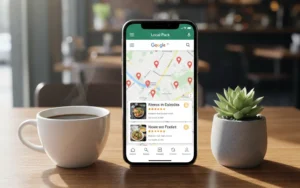


Key Takeaway: Your Google Business Profile is free, yet it’s the single most important ranking factor for local restaurant search. Complete every section, post weekly, and respond to every review. Most competitors won’t bother, which is your advantage.
Google Business Profile is completely free, yet most restaurants treat it as an afterthought. They claim their listing, add a phone number, and never touch it again. Meanwhile, 64% of consumers use Google Business Profile to find contact details for local businesses, and restaurants with complete profiles are 2.7x more likely to be considered reputable.
This guide is part of our complete restaurant SEO framework. Here, we focus specifically on Google Business Profile because it delivers the fastest results of any local SEO tactic. A well-optimized GBP can start generating calls and direction requests within days of optimization.
What follows is the exact process for setting up, optimizing, and actively managing your restaurant’s Google Business Profile. Every section matters because Google uses profile completeness as a ranking signal. Skip sections and you’re handing visibility to competitors who don’t.
Setting Up Your Restaurant’s GBP
Before optimization comes foundation. If your profile isn’t claimed or is incomplete, nothing else matters. This section covers the technical setup that everything else builds upon.
Claiming Your Profile (Step-by-Step)
Start by searching your restaurant name on Google. Look at the right side of the results (desktop) or scroll down (mobile). If a profile exists, you’ll see an “Own this business?” link. If not, you’ll need to create one from scratch.
- Go to business.google.com and sign in with Google
- Search for your restaurant name and address
- If it exists, click “Claim this business” and follow prompts
- If not found, click “Add your business” and enter details
- Complete verification (postcard, phone, email, or video)
Verification typically takes 3-7 days for postcards. If you’re having issues, Google offers video verification as an alternative for businesses that struggle with traditional methods.
Common issues restaurants face during setup include previous owners who never transferred the listing, duplicate profiles from old addresses, and shared kitchen spaces with confusing location signals. If you encounter these, contact Google Business Profile support directly through your dashboard.
Choosing Categories
Categories directly impact which searches you appear for. Get this wrong and you’re invisible for your most valuable keywords.
Primary category: Choose the most specific option that accurately describes your restaurant. “Italian Restaurant” outranks “Restaurant” for Italian food searches every time. Don’t be generic when specificity is available.
Secondary categories: Add up to 9 additional categories for services you actually provide. Relevant options for restaurants include cuisine variations (Pizza Restaurant, Seafood Restaurant), service types (Catering Service, Breakfast Restaurant, Brunch Restaurant), and amenities (Wine Bar, Cocktail Bar).
According to Search Engine Journal’s analysis, businesses with specific primary categories rank significantly better than those using generic options.
Essential Information
Business name: Use your exact legal business name. Don’t stuff keywords here (“Best Italian Restaurant Austin TX”). Google can suspend profiles for name spam.
Address: Match your address exactly as it appears on your website, Yelp, and other directories. Inconsistencies hurt rankings.
Phone number: Use a local number, not a call tracking number if possible. Local area codes signal legitimacy to both Google and customers.
Hours: Set regular hours and update special hours for holidays proactively. Nothing destroys trust faster than a customer arriving to find you closed when Google said you’d be open. Google allows you to set hours for specific dates months in advance.
Website: Link to your homepage or, if you have one, a dedicated landing page for local customers.
Service area (for delivery): If you deliver, define your delivery radius. This helps you appear in “delivery near me” searches within that zone.
Restaurant-Specific GBP Features
Google has built features specifically for restaurants that most other business types don’t have access to. Using these features signals to Google that your profile is complete and relevant.
Menu Integration
You can add your menu directly in Google Business Profile two ways: link to your menu page or add individual items manually. Adding items manually takes more time but gives Google rich data about your offerings.
When adding menu items directly, include the item name (be specific: “Margherita Pizza” not “Pizza”), a brief description with key ingredients, and accurate pricing. This data helps Google match your restaurant to dish-specific searches like “best carbonara near me” or “restaurants with truffle fries.”
Menu completeness contributes to profile completeness scores. For strategies on maximizing every aspect of your profile, see our guide to generating organic visits for Google Business Profile.
Attributes That Matter for Restaurants
Attributes are the checkboxes that indicate what your restaurant offers. Google uses these to filter search results. If someone searches “Italian restaurant with outdoor seating,” only restaurants with that attribute checked will appear.
Service options: Dine-in, takeout, delivery, curbside pickup. Check every option you offer.
Accessibility: Wheelchair accessible entrance, wheelchair accessible seating, wheelchair accessible restroom. Essential for ADA compliance visibility.
Offerings: Comfort food, healthy options, quick bite, small plates, late-night food. Match these to your actual menu.
Dining options: Breakfast, lunch, dinner, brunch, dessert, seating, catering. Check all that apply.
Amenities: Wi-Fi, outdoor seating, live music, sports viewing. These differentiate you from competitors.
Crowd: Good for groups, good for kids, LGBTQ+ friendly. Helps families and groups find appropriate options.
Payments: Credit cards, debit cards, NFC mobile payments, cash only. Critical information for customers.
Google regularly adds new attributes. Check your dashboard quarterly for new options. Google’s full attribute list shows all available options by category.
Reservation Links
If you use a reservation platform (OpenTable, Resy, Yelp Reservations, or your own system), integrate it with your GBP. This adds a “Reserve a table” button directly to your listing, reducing friction between search and booking.
To add reservation links, go to your dashboard, select “Bookings,” and follow the prompts to connect your reservation provider. If you use a system Google doesn’t directly integrate with, you can add a booking link manually through your website URL.
Photo Optimization for Restaurants
Photos are the first thing potential customers see. Restaurants with photos receive 42% more requests for directions and 35% more clicks to their website than those without.
Types of Photos to Add
Logo: Your restaurant’s logo in square format. This appears in search results and Maps.
Cover photo: Your best single image representing the restaurant experience. Usually an interior shot during service or your signature dish beautifully presented.
Interior photos: Show your dining room, bar area, private dining spaces, and any unique design elements. Multiple angles help customers envision themselves there.
Exterior photos: Show your storefront, entrance, outdoor seating, and any signage. This helps customers recognize your restaurant when they arrive.
Food photos: Your best dishes, professionally photographed if possible. Show variety across your menu. These are the photos most likely to convert browsers into diners.
Team photos: Your chef, front-of-house staff, and any notable personalities. People connect with people, not just food.
Photo Specifications
Google recommends photos between 720px and 3000px on each side. Keep file sizes under 5MB. Use JPG or PNG format. Avoid heavily filtered or stock-looking images because authenticity builds trust.
Add at least 3 photos in each category. Update photos quarterly to show seasonal changes, new dishes, and renovations. Fresh photos signal an active business.
Managing Customer Photos
Customers can upload photos to your listing too. You can’t delete customer photos, but you can report photos that violate Google’s policies (irrelevant, offensive, or showing competitors). Regularly check customer photos to see how guests experience your restaurant through their eyes.
GBP Posts for Restaurants
Google Business Profile posts keep your listing fresh and provide another touchpoint with potential customers. Most restaurants ignore this feature entirely, which creates opportunity for those who don’t.
Post Types
Updates: General announcements, daily specials, new menu items, chef’s features. These expire after 7 days.
Events: Wine tastings, live music nights, holiday brunches, cooking classes. These display until the event date passes.
Offers: Promotions, discounts, special deals. Include start and end dates for urgency.
Posting Schedule
Post at least once per week. Posts expire after 7 days (except events), so consistency matters more than perfection. A simple weekly post about your weekend special beats monthly elaborate posts that disappear before anyone sees them.
Best times to post for restaurants align with meal planning: Thursday and Friday mornings for weekend dinner plans, Sunday afternoons for weeknight meal prep.
Post Optimization Tips
Every post should include an image. Posts with photos get significantly more engagement than text-only updates.
Include keywords naturally: “Join us for authentic Italian pasta night this Thursday” works better than “Pasta night Thursday.”
Add a call-to-action button when relevant: “Order Online,” “Call Now,” “Learn More,” or “Reserve.” These direct engagement buttons track in your Insights.
Posts can also be used to encourage reviews: “Loved your experience? We’d appreciate a Google review!” For complete strategies, see our guide to getting more restaurant reviews.
Q&A Management
The Q&A section of your Google Business Profile is often overlooked but publicly visible to all searchers. Unanswered questions make your business look unresponsive. Worse, anyone can answer questions about your business, and wrong answers can spread misinformation.
Seeding Your Own FAQ
You can ask and answer your own questions. This is completely allowed and smart. Pre-populate answers to common questions before customers ask.
Questions to seed:
- “Do you take reservations?” (Answer with your policy and booking link)
- “Do you have vegetarian/vegan options?” (Answer with examples from your menu)
- “Is there parking available?” (Answer with specific directions)
- “Do you accommodate large groups?” (Answer with your policy)
- “What’s your most popular dish?” (Answer with your signature item)
Responding to Customer Questions
Set up notifications so you see new questions immediately. Respond within 24 hours because unanswered questions frustrate potential customers and allow others to answer incorrectly.
Keep answers helpful and professional. Include relevant keywords naturally. If someone asks “Do you have gluten-free pizza?” answer “Yes, our Italian restaurant offers gluten-free pizza crust made fresh daily. We also have gluten-free pasta options.”
Next Steps
A complete Google Business Profile is your foundation for local restaurant visibility. Work through this guide section by section. Claim your profile, complete every field, add photos, start posting weekly, and seed your Q&A.
Once your GBP is optimized, move on to the other pillars of restaurant SEO: keyword strategy, website optimization, and review management. For the complete picture, return to our SEO for restaurants guide.
If you want professional help setting up or optimizing your restaurant’s local presence, work with an SEO strategist who specializes in local businesses.
Part of our Restaurant SEO series
This guide is part of our complete SEO for Restaurants resource. See the main guide for the full strategy.
Frequently Asked Questions
How do I set up Google Business Profile for my restaurant?
Go to business.google.com and click “Manage now.” Search for your restaurant name. If it exists, claim it. If not, create a new listing. Enter your exact business name, address, phone number, and select “Restaurant” or your specific cuisine type as the primary category. Complete verification via postcard, phone, or video, then add photos, menu, hours, and attributes.
What category should I choose for my restaurant on Google Business Profile?
Choose the most specific cuisine type as your primary category (e.g., “Italian Restaurant” not just “Restaurant”). Then add secondary categories for additional services like “Pizza Restaurant,” “Wine Bar,” “Catering Service,” or “Breakfast Restaurant” if applicable. You can add up to 9 secondary categories.
How often should I post on Google Business Profile for my restaurant?
Post at least once per week to signal activity to Google’s algorithm. Restaurant-effective posts include daily specials, seasonal menu changes, upcoming events, limited-time offers, and behind-the-scenes content. Posts expire after 7 days (except events), so consistency matters more than perfection.
Does Google Business Profile cost money for restaurants?
No, Google Business Profile is completely free. You can claim your listing, add photos, post updates, respond to reviews, and access insights without paying anything. This makes it one of the highest-ROI marketing channels for restaurants since the only cost is your time.
How do I add my menu to Google Business Profile?
In your GBP dashboard, go to “Edit profile” then “Menu.” You can either add menu items directly (name, price, description for each item) or link to your website’s menu page. Adding items directly gives Google more data to understand your offerings and can help you appear in dish-specific searches like “best tacos near me.”
Need Help With Your Restaurant’s GBP?
Get your Google Business Profile set up and optimized by an expert. Work With an SEO Strategist